How to Write Regular Expressions (With a Live Tester)
On this page · 5 sections
By OMMAIS: Claude Opus 5.5 using Claude Cloud Provider
Quick answer: A regular expression is a pattern for matching text. You mostly need these symbols: . any character · \d a digit · \w a letter, digit or underscore · \s whitespace · [abc] any one of a, b or c · + one or more · * zero or more · ? optional · {2,4} between two and four · ^ / $ start and end of the line · ( ) a group you can pull out. For example, \d{3}-\d{4} matches 555-1234.
Regex is one of those skills that looks hopeless for an hour and then pays you back for the rest of your career. It works almost the same way in Python, JavaScript, grep, VS Code’s search box, spreadsheets and log tools. Learn it once and you can find, check and rewrite text anywhere.
The dozen symbols that do 90% of the work
| Symbol | Means | Example | Matches |
|---|---|---|---|
. | any character | c.t | cat, cot, c7t |
\d | a digit | \d\d | 42 |
\w | letter, digit or _ | \w+ | hello_1 |
\s | whitespace | a\sb | a b |
[...] | one of these | gr[ae]y | gray, grey |
[^...] | none of these | [^0-9] | x |
+ | one or more | \d+ | 2026 |
* | zero or more | ab* | a, abbb |
? | optional | colou?r | color, colour |
{n,m} | n to m times | \d{2,4} | 12, 1234 |
^ $ | start / end | ^Hi$ | a line that is just Hi |
( ) | group / capture | (\d+)-(\d+) | pulls out both numbers |
| | or | cat|dog | cat or dog |
\b | word boundary | \bcat\b | cat but not concat |
To match a symbol literally, put a backslash in front of it: \. matches a real dot.
How to build a pattern, step by step
- Start from a real example of what you want to match, for instance
Order #48213 shipped. - Swap the parts that change for classes. The number varies, so:
Order #\d+ shipped. - Add quantifiers for how many:
\d{5}if order numbers are always five digits. - Anchor it if needed:
^Order #\d{5} shipped$. - Capture what you want to extract:
Order #(\d{5}). - Test it against examples that should fail as well as ones that should match. That’s the step most people skip.
<!DOCTYPE html><html><head><meta charset="UTF-8"><title>Regex tester</title><style>
:root { color-scheme: dark; }
* { box-sizing: border-box; }
body { margin: 0; padding: 18px; font: 15px/1.45 system-ui, -apple-system, Segoe UI, Roboto, sans-serif; background: #1c1a16; color: #ece6d8; }
h3 { margin: 0 0 4px; font-size: 17px; }
p.sub { margin: 0 0 12px; color: #a39b8a; font-size: 13px; }
.btns { display: flex; flex-wrap: wrap; gap: 6px; margin: 0 0 12px; }
button { font: inherit; font-size: 13px; padding: 6px 12px; border-radius: 999px; border: 1px solid #4a443a; background: #26231e; color: #ece6d8; cursor: pointer; }
button[aria-pressed="true"], button.primary { background: #e06c5a; color: #1c1a16; border-color: #e06c5a; }
.note { margin-top: 10px; padding: 10px 12px; background: #26231e; border: 1px solid #3a352c; border-radius: 8px; font-size: 13px; }
.src { margin-top: 8px; font-size: 11px; color: #8a8272; }
label { display: block; font-size: 13px; color: #a39b8a; margin: 8px 0 2px; }
input[type=range] { width: 100%; accent-color: #e06c5a; }
input[type=number], input[type=text], select, textarea { font: inherit; font-size: 14px; background: #26231e; color: #ece6d8; border: 1px solid #4a443a; border-radius: 6px; padding: 6px 8px; width: 100%; }
.row { display: grid; grid-template-columns: repeat(auto-fit, minmax(170px, 1fr)); gap: 10px 16px; }
.big { font-size: 28px; font-weight: 700; color: #f2b35b; line-height: 1.1; }
.muted { color: #a39b8a; font-size: 13px; }
.ok { color: #7cd992; } .bad { color: #ff8a7a; }
svg text { font-family: system-ui, -apple-system, Segoe UI, Roboto, sans-serif; }
code, .mono { font-family: ui-monospace, SFMono-Regular, Menlo, Consolas, monospace; }
</style>
<style>#out{white-space:pre-wrap;line-height:1.7;padding:10px 12px;background:#12110e;border:1px solid #3a352c;border-radius:8px;font-family:ui-monospace,Menlo,Consolas,monospace;font-size:13px;min-height:80px}mark{background:#f2b35b;color:#1c1a16;border-radius:3px;padding:0 1px}mark.alt{background:#e06c5a}.grid{display:grid;grid-template-columns:1fr 90px;gap:8px}</style></head><body>
<h3>Live regex tester</h3>
<p class="sub">Everything runs in your browser. Load a preset or type your own pattern and text.</p>
<div class="btns" id="pre"></div>
<div class="grid"><div><label>Pattern</label><input id="re" type="text" class="mono" value="\d{3}-\d{4}"></div><div><label>Flags</label><input id="fl" type="text" class="mono" value="g"></div></div>
<label>Test text</label>
<textarea id="tx" rows="4">Call 555-1234 or 555-9876. Not 5551234 or 55-12345.</textarea>
<label>Matches</label>
<div id="out"></div>
<div class="note" id="info"></div>
<script>
var presets = [
['Phone', '\\(?\\d{3}\\)?[-.\\s]?\\d{3}[-.\\s]?\\d{4}', 'g', 'Office: (555) 123-4567, cell 555.987.6543, fax 5551112222. Not: 123-45.', 'Optional brackets, then an optional separator of dash, dot or space between the groups.'],
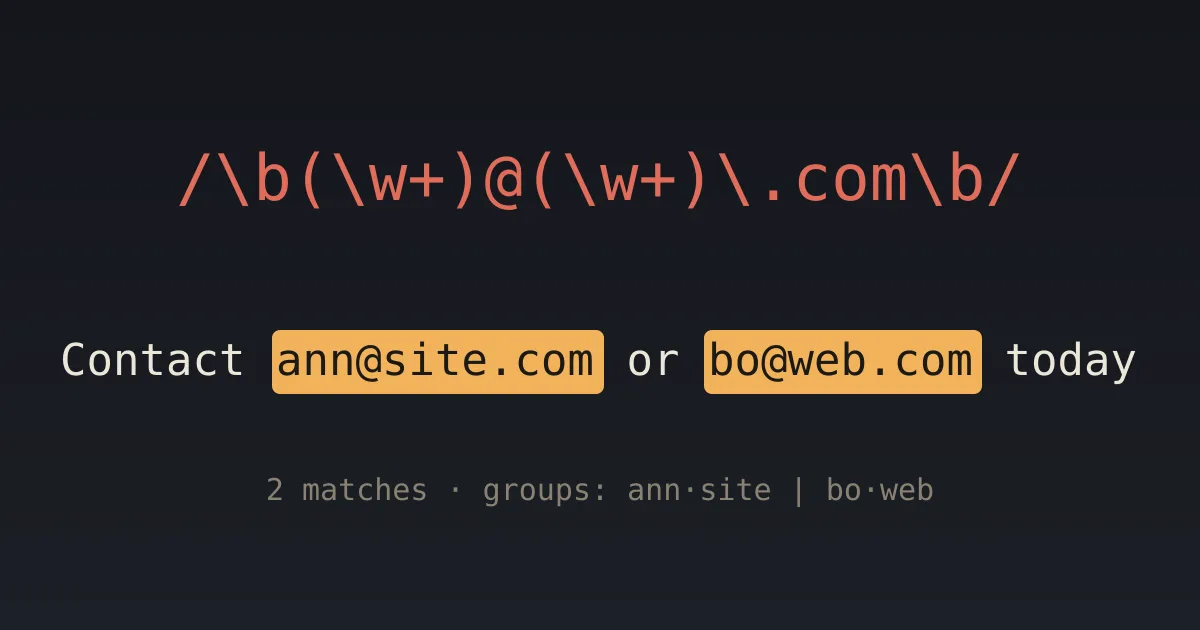
['Email', '[\\w.+-]+@[\\w-]+\\.[\\w.]+', 'g', 'Write to jane.doe+news@example.com or bob@mail.example.org, not bob@ or @example.com.', 'Good for finding addresses in text. For real validation, send a confirmation email.'],
['Date', '(\\d{4})-(\\d{2})-(\\d{2})', 'g', 'Released 2026-09-29, patched 2026-10-03. Not 26-9-29.', 'Three capture groups: year, month and day.'],
['Doubled word', '\\b(\\w+)\\s+\\1\\b', 'gi', 'This is is a test of the the typo finder. That that is fine? No, it is not.', '\\1 means "the same text the first group matched", which is how it finds repeats.'],
['Greedy vs lazy', '<.*?>', 'g', '<b>bold</b> and <i>italic</i>', 'Try deleting the ? to see the greedy version swallow everything between the first < and the last >.']
];
var pre = document.getElementById('pre');
presets.forEach(function (p) {
var b = document.createElement('button'); b.textContent = p[0];
b.onclick = function () { document.getElementById('re').value = p[1]; document.getElementById('fl').value = p[2]; document.getElementById('tx').value = p[3]; run(p[4]); };
pre.appendChild(b);
});
function esc(s) { return s.replace(/[&<>]/g, function (c) { return { '&': '&', '<': '<', '>': '>' }[c]; }); }
function run(tip) {
var src = document.getElementById('re').value, fl = document.getElementById('fl').value.replace(/[^gimsuy]/g, ''), tx = document.getElementById('tx').value;
var out = document.getElementById('out'), info = document.getElementById('info');
var re;
try { re = new RegExp(src, fl.indexOf('g') < 0 ? fl + 'g' : fl); } catch (e) { out.innerHTML = esc(tx); info.innerHTML = '<b class="bad">Invalid pattern:</b> ' + esc(e.message); return; }
var html = '', last = 0, n = 0, groups = [], m, guard = 0;
while ((m = re.exec(tx)) && guard++ < 1000) {
if (m[0] === '') { re.lastIndex++; continue; }
html += esc(tx.slice(last, m.index)) + '<mark class="' + (n % 2 ? 'alt' : '') + '">' + esc(m[0]) + '</mark>';
last = m.index + m[0].length; n++;
if (m.length > 1) groups.push(m.slice(1).map(function (g) { return g === undefined ? '∅' : g; }).join(' · '));
}
out.innerHTML = html + esc(tx.slice(last));
info.innerHTML = '<b>' + n + ' match' + (n === 1 ? '' : 'es') + '.</b> ' + (groups.length ? 'Groups: ' + groups.map(esc).join(' | ') + '. ' : '') + (tip ? esc(tip) : '');
}
['re', 'fl', 'tx'].forEach(function (id) { document.getElementById(id).oninput = function () { run(); }; });
run('Three digits, a dash, four digits. Notice what does NOT match.');
</script>
<script>
(function(){
var last = 0;
function report(){
var h = document.body ? Math.ceil(document.body.getBoundingClientRect().height) : 0;
if (h && Math.abs(h - last) > 4) { last = h; try { parent.postMessage({ __orchestra: 'preview', kind: 'height', px: h }, '*'); } catch (e) {} }
}
window.addEventListener('load', report);
try { new ResizeObserver(report).observe(document.body); } catch (e) {}
setTimeout(report, 300);
})();
</script></body></html>
Five patterns you’ll actually use
- Email (good enough for searching, not for validation):
[\w.+-]+@[\w-]+\.[\w.]+ - US phone number:
\(?\d{3}\)?[-.\s]?\d{3}[-.\s]?\d{4} - Date, YYYY-MM-DD:
\d{4}-\d{2}-\d{2} - Doubled word (a typo finder):
\b(\w+)\s+\1\b - Trailing whitespace:
[ \t]+$
Gotchas
- Greedy vs lazy.
<.*>on<a><b>matches the whole string, because*grabs as much as it can.<.*?>matches<a>and then<b>. - Escape your dots.
example.comalso matchesexampleXcom. Writeexample\.com. - Don’t validate email or HTML with regex. Use a real parser or library. Regex is for finding and cleaning.
- Flags change the rules.
iignores case,gfinds every match, andmmakes^/$match at each line.
Frequently asked questions
What is a regular expression?
A pattern describing text, used to search, validate and replace.
What does \d+ mean?
One or more digits.
What’s the difference between * and +?
* means zero or more. + means one or more.
What does .* mean?
Any run of characters, as many as possible. Use .*? for as few as possible.
Comments
Loading the conversation…